 MSTech SoundBoard

MSTech SoundBoard
A retro, broadcast-style desktop soundboard. Click a button, hear a sound — organize hundreds of clips into collapsible sections, fire them off solo or in a batch, and share your whole board as one file.
↓ Download for Windows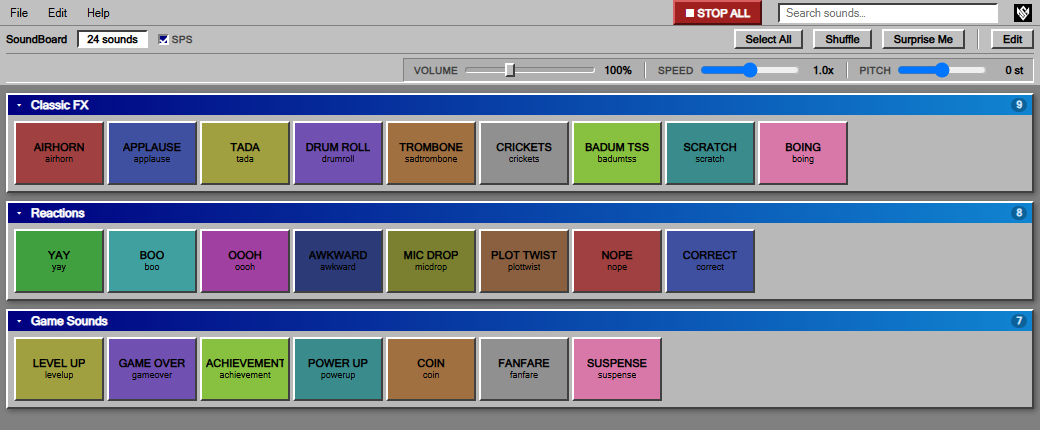
Sections & 16 button colors
Group buttons under renamable, collapsible headings and color-code them by category. Built for boards with hundreds of sounds.
Search
Find any sound instantly by label or filename — Ctrl+F jumps straight to the search box.
Batch play
Middle-click to queue sounds (or Select All), then Shuffle or Surprise Me — play them all at once or one after another.
Volume, Speed & Pitch
0–300% volume boost, 0.2x–3.0x speed, −12 to +12 semitones of pitch — independently adjustable.
Emergency Stop
One button in the toolbar kills every sound currently playing, instantly.
Export & Import
Share your whole board — layout and audio — as a single file that opens on any Windows PC.
Play-count stats
See how often each button gets used, right from the File menu.
Auto-updates
Checks for new versions on launch and installs them in the background — no manual downloads after the first one.